
FOR NASHVILLE & MIDDLE TENNESSEE CONTRACTORS
Your crew saw it.
Get the update while you can act.
A missed jobsite update can leave the next trade working with the wrong information. Construction crew communication works better when the report, the photos and the next instruction stay connected to the same job.
Test it on one job · 9 days free ↗What a useful field update needs
A photo alone may show a problem without explaining where it happened, what work is blocked or who needs to respond. A voice note may explain the situation while remaining buried in a separate conversation. Give the office enough context to make the next decision:
- The job and work area. Identify the project, room, phase or location affected.
- What changed. Describe the work completed, the issue found or the delivery that did not arrive.
- Supporting evidence. Attach photos that explain the situation, with the right job context.
- What is waiting. Explain which next step depends on the update.
- The response. Keep the manager’s instruction beside the original report so the crew can follow through.
One report. A clear next decision.
This illustrative example shows the difference between an isolated message and an update the office can review:
Crew’s original words: “Oye, hay agua atrás del muro del baño. Paramos el sheetrock pa’ que chequen la tubería.”
Meaning for the manager: Water was found behind the bathroom wall. The crew paused drywall work so the plumbing can be checked.
Context: The report and supporting photos belong to the same job. The worker’s original words stay available.
Next decision: Review the situation, coordinate the plumbing check and send the instruction back to the crew.
Apex Field organizes the report for review. The manager evaluates the evidence and decides what happens next.
English, Spanish and Portuguese. One connected job.
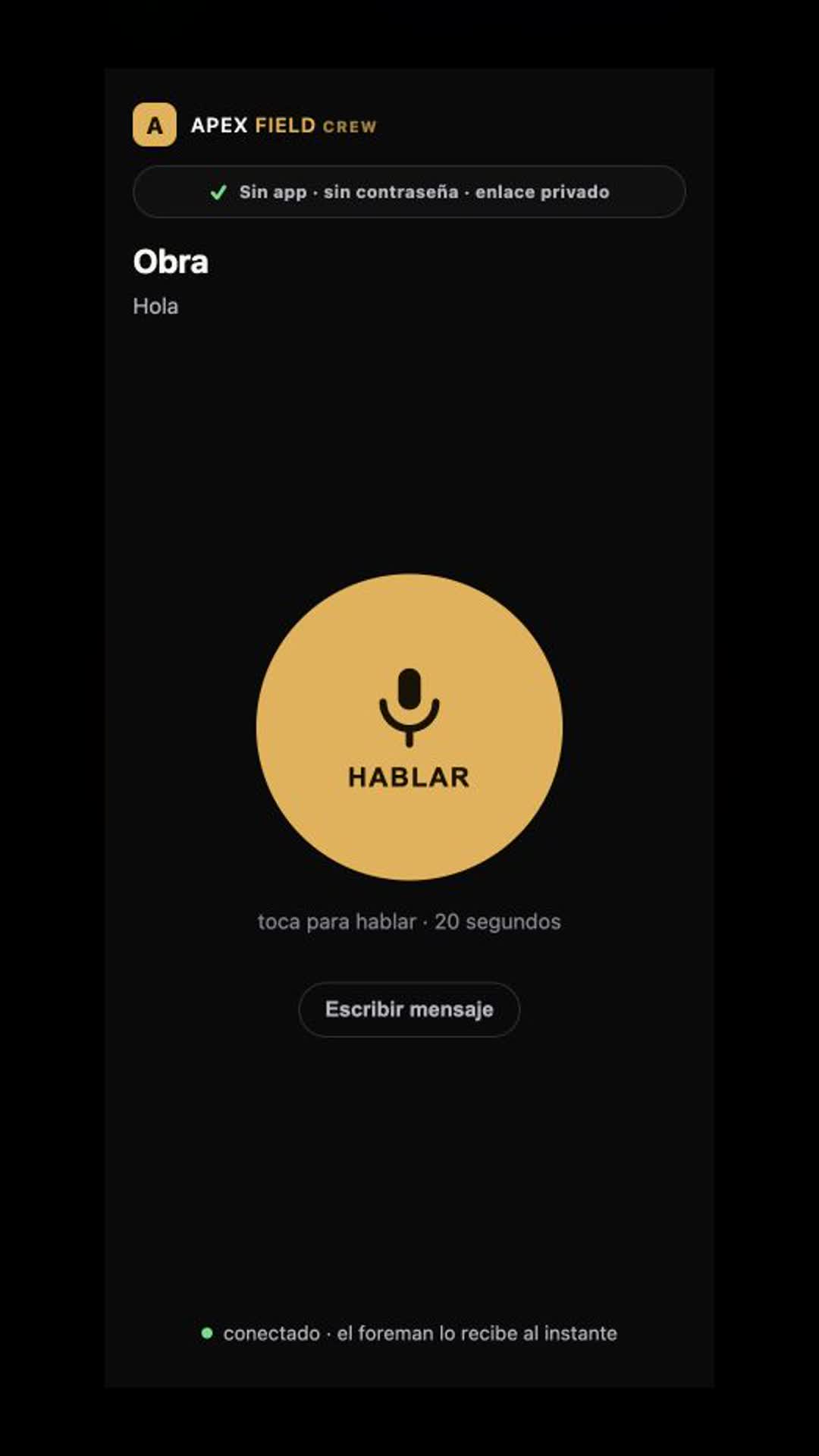
Apex Field lets crew members report by voice or text and attach photos through their assigned private link. The workflow preserves the original words and organizes a title and description for the manager to review.
That matters when the crew’s natural language includes slang, mixed languages or trade terms. The manager can review the meaning beside the original, set the next action and reply within the job.
A reporting routine that fits the workday
Use a simple routine at the moments when information changes the next person’s work:
- Before the next trade starts: Report an issue, missing material or condition that affects the sequence.
- When work is ready for review: Send the update and relevant photos together so the manager can inspect the evidence.
- When the plan changes: Send the instruction back to the crew in the same job record.
Job Photos organizes captures as Before, Progress and After. Photo coverage and confirmed job progress remain separate: photos support the evidence, while the GC confirms progress.
Questions before your first job
Does my crew need to install an app?
No. Each crew member opens an assigned private link on their phone. Managers use a secure account. We help arrange access and set up the team for the pilot.
Is Apex Field only a translation tool?
The workflow connects voice or text reports, original words, organized descriptions, job photos and the manager’s response. It is designed to keep field information useful within the job.
Can I try it with my own crew?
Yes. The free nine-day pilot uses one real job and your crew. We review requests and help configure the first job. The initial pilot focus is Nashville and Middle Tennessee.
What happens after the free pilot?
We review the experience with you and discuss the ongoing plan. The pilot lets you evaluate the workflow on your own jobsite.
ONE REAL JOB. YOUR OWN CREW.
Put clearer field communication to work.
Request a free nine-day Apex Field pilot. Tell us about your company, and we will contact you to arrange the first job.
Request my free 9 days ↗